विज्ञापन

Insta-FB पर मचेगा गदर! दिवाली के के लिए बेस्ट इमेज प्रॉम्प्ट्स, ChatGPT से बनेगी वायरल फोटो

Diwali AI Photo Prompts: इस दिवाली सोशल मीडिया पर धमाल मचाने के लिए घर बैठे ही बनाएं अपनी शानदार AI फोटो. जानिए कैसे ChatGPT के वायरल दिवाली इमेज के बेस्ट प्रॉम्प्ट्स.

Insta-FB पर मचेगा गदर! दिवाली के के लिए बेस्ट इमेज प्रॉम्प्ट्स, ChatGPT से बनेगी वायरल फोटो
Diwali के लिए वायरल AI प्रॉम्प्ट्स
NDTV Graphics

दिवाली का त्योहार बस आने ही वाला है. उम्मीद है कि इस खास मौके आप खुद को एक शानदार और खूबसूरत लुक देने के लिए बेस्ट ऑउटफिट सेलेक्ट करने में बिजी होंगे. हालांकि, आपको आउटफिट सेलेक्ट करने में AI का काफी मदद करेगा. आप वायरल इमेज AI प्रॉम्प्ट्स से बना सकते हैं. इससे आप किसी आउटफिट को पहनने से पहले देख सकते हैं कि वह आप पर कैसा लगेगा. साथ ही आप इन फोटो को सोशल मीडिया पर पोस्ट कर सकते हैं या WhatsApp Status में लगा सकते हैं. आइए आपको ChatGPT का इस्तेमाल करके ये वायरल दिवाली इमेज बनाने का तरीका और बेस्ट प्रॉम्प्ट्स के बारे में बताते हैं. 

सोशल मीडिया के लिए बनाएं वायरल दिवाली AI फोटो

अगर आप सोशल मीडिया पर शेयर करने के लिए वायरल दिवाली AI फोटो जनरेट करना चाहते हैं, तो आपको बता दें कि ये काम बेहद आसान है. इसके लिए आपको बस कुछ सिंपल स्टेप्स को फॉलो करना होगा.

  • सबसे पहले अपने फोन या कंप्यूटर पर ChatGPT ऐप या वेबसाइट खोलें.
  • अपने अकाउंट में लॉग-इन या साइन-अप करें.
  • इसके बाद अपनी एक साफ इमेज वहां अपलोड करें.
  • अब आप जैसी फोटो जनरेट करना चाहते हैं, उसे अच्छे से समझाते हुए एक प्रॉम्प्ट लिखें.
  • प्रॉम्प्ट लिखने के बाद एंटर दबाएं.

ये AI टूल आपकी तस्वीर को जनरेट करने में कुछ सेकंड का समय लेगा. ध्यान रखें कि कभी-कभी AI टूल से गलतियां भी हो सकती हैं, इसलिए अगर आप पहले रिजल्ट से संतुष्ट नहीं हैं, तो आप टूल को दोबारा निर्देश (री-प्रॉम्प्ट) देकर अपनी पसंद के हिसाब से बदलाव करने के लिए कह सकते हैं. अगर आप खुद से प्रॉम्प्ट नहीं लिखना चाहते हैं, तो आप नीचे दिए गए वायरल प्रॉम्प्ट्स को सीधे कॉपी और पेस्ट भी कर सकते हैं.

दिवाली इमेज बनाने के लिए वायरल AI प्रॉम्प्ट्स

सोशल मीडिया पर पोस्ट करने के लिए शानदार तस्वीरें बनाने के लिए आप नीचे दिए गए इन वायरल दिवाली प्रॉम्प्ट्स का इस्तेमाल कर सकते हैं. आप चाहें तो इनमें अपनी पसंद के अनुसार बदलाव भी कर सकते हैं.
Latest and Breaking News on NDTV
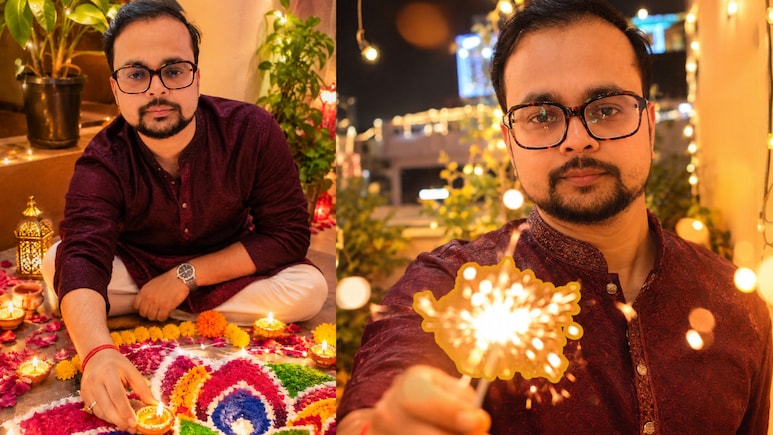
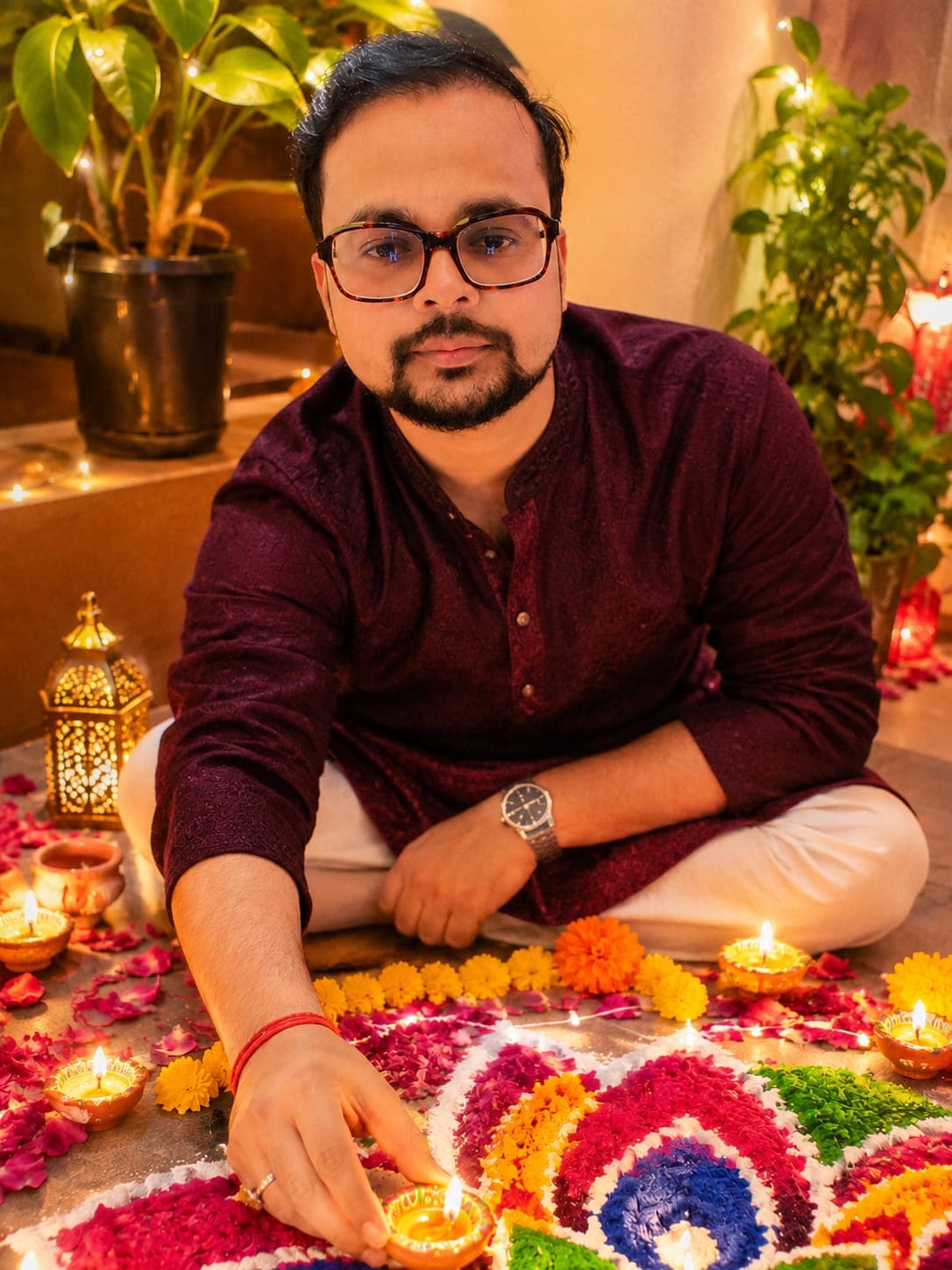
Create an ultra-realistic, cinematic festive portrait using the uploaded reference image as the exact facial identity reference. Preserve the man's original facial features, face shape, hairstyle, skin tone, and natural appearance without altering his identity. He is wearing a festive kurta. Capture a slightly elevated top-angle shot of the man sitting comfortably beside an intricate, colourful Rangoli. He is gently placing the final illuminated diya into the Rangoli, creating a candid and heartwarming festive moment. His expression should feature a natural, genuine smile, with relaxed body language and an authentic sense of joy. Surround the Rangoli with beautifully arranged flower petals, glowing earthen diyas, small candles, and traditional marigold flower garlands. Add delicate festive decorations in the background to create an inviting Diwali atmosphere. Use warm golden candlelight falling naturally across his face, with soft golden shadows, realistic reflections, and a subtle luminous glow around the diyas. Highlight the vibrant colours of the Rangoli, rich orange and yellow marigolds, and warm festive tones. Camera and photography: 35mm lens, f/2.8 aperture, slightly elevated camera angle, shallow depth of field, sharp facial details, realistic skin texture, natural lighting, and professional DSLR photography. Visual style: Clean photorealism, premium festive editorial photography, cinematic composition, rich yet balanced colours, natural expressions, realistic lighting, and finely detailed surroundings. Aspect ratio: 3:4 portrait orientation. Important: The uploaded reference must be used for the man's face. Maintain accurate facial identity and realistic body proportions. Avoid artificial beauty filters, excessive skin smoothing, exaggerated expressions, or overly stylized effects. The final image should look like a genuine photograph captured during a beautiful Diwali celebration.
Latest and Breaking News on NDTV
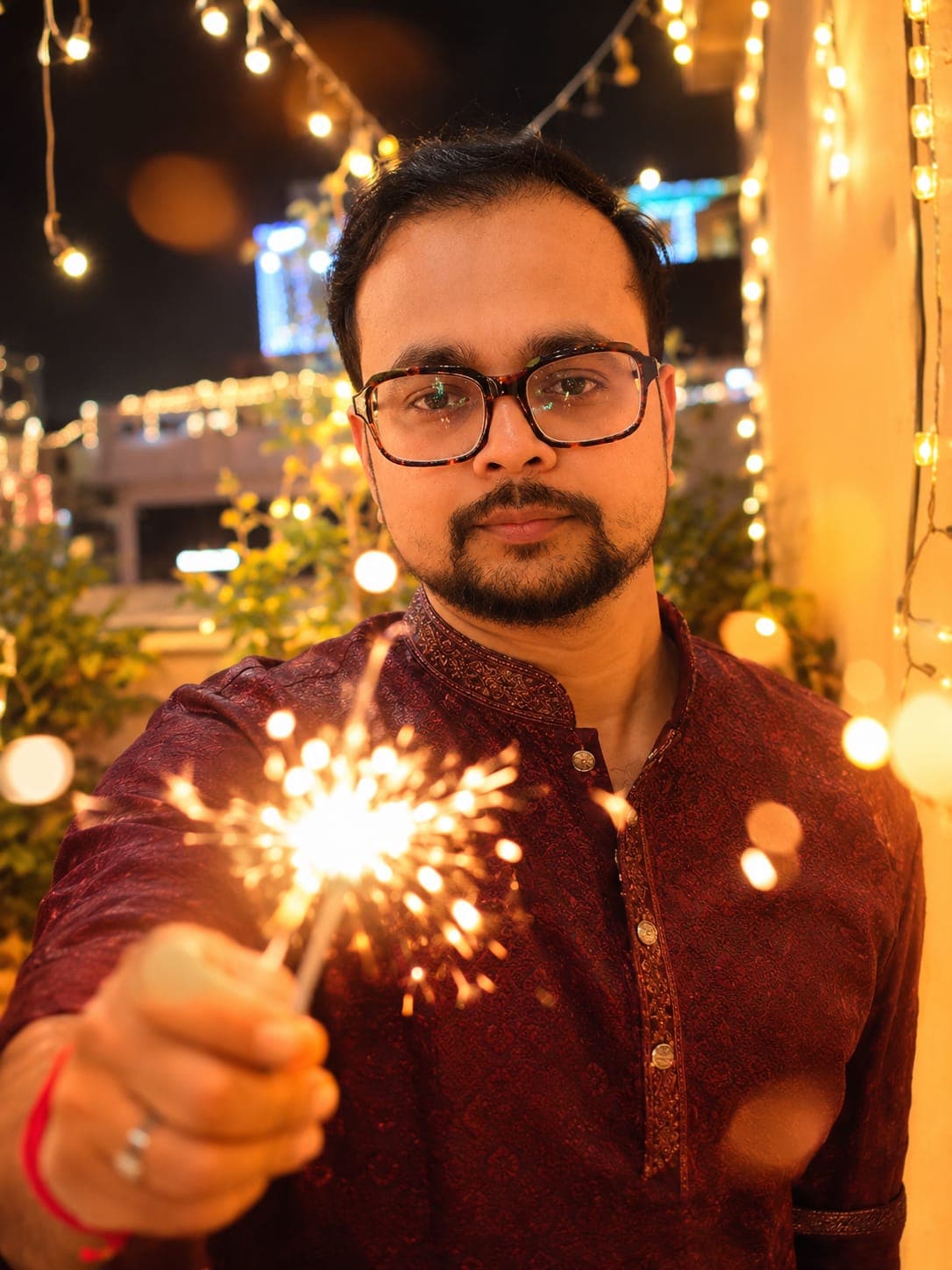
Create an ultra-realistic, cinematic festive portrait using the uploaded reference image as the exact likeness reference for the person. Preserve the original facial identity, face shape, hairstyle, skin tone, natural expressions, and distinctive features. Ensure the person remains instantly recognizable. Capture an intimate, joyful Diwali moment where the person is holding a brightly lit sparkler close to the camera, slightly extending their hand towards the lens. The sparkler creates a beautiful glowing circular bokeh effect around the person's smiling face, adding depth, visual drama, and a magical festive atmosphere. The person is wearing a traditional indian festive kurta. The person should have a genuine, natural smile, looking relaxed and happy. Position the sparkler in the foreground, with its golden sparks forming artistic light trails and softly framing the face without obscuring important facial features. Keep the background softly blurred, featuring glowing fairy lights, distant city lights, and occasional festive sparks. Add warm orange and golden illumination that falls naturally across the person's face. If the person is wearing glasses, capture realistic reflections of the sparkler and surrounding lights on the lenses while keeping the eyes clearly visible. Use cinematic lens glow, delicate highlights, realistic shadows, and rich festive colours to create a dreamy yet authentic Diwali celebration atmosphere. Camera and photography: Professional 50mm portrait lens, f/1.4 aperture, extremely shallow depth of field, foreground sparkler bokeh, sharp facial focus, natural skin texture, realistic light reflections, and professional DSLR photography. Visual style: Premium cinematic portrait photography, dreamy festive atmosphere, vibrant golden-orange colour palette, natural expressions, authentic lighting, sophisticated colour grading, and high-end photorealistic quality. Aspect ratio: 3:4 portrait orientation. Important instructions: - Maintain the exact likeness of the uploaded reference. - Keep facial features natural and unchanged. - Make the sparkler look realistic with detailed sparks and glowing trails. - Keep the face as the primary focal point. - Avoid excessive artificial glow, distorted fingers, unnatural reflections, plastic-looking skin, or cartoon effects. - The final image should look like a professionally captured photograph during a real Diwali celebration.


Latest and Breaking News on NDTV
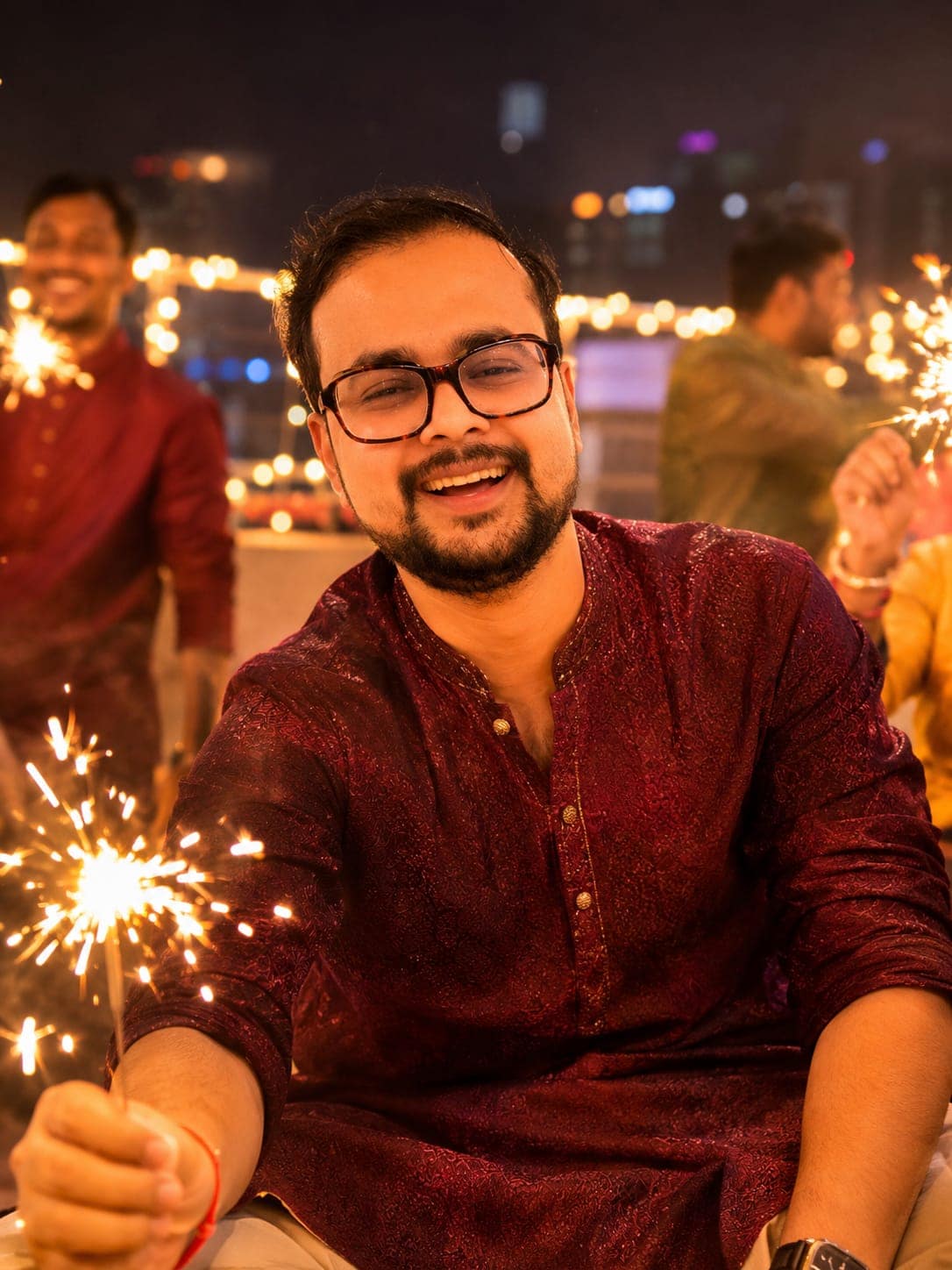
Create an ultra-realistic, cinematic Diwali night portrait using the uploaded reference image as the exact reference for both the man's face and outfit. Preserve his facial identity, hairstyle, skin tone, clothing, body proportions, and distinctive appearance accurately. Do not change or redesign his outfit. Capture a natural, candid moment of the man laughing wholeheartedly with a group of friends on a beautifully decorated rooftop during Diwali celebrations. He should appear relaxed, cheerful, and genuinely engaged in the celebration, with an authentic spontaneous expression rather than a posed smile. The person in wearing a traditional festive kurta. In the background, friends are enjoying sparklers, creating beautiful glowing light trails and dynamic golden sparks. Decorate the rooftop with warm fairy lights, traditional diyas, subtle festive decorations, and distant city lights. Use warm orange and golden ambient lighting to illuminate the scene naturally. Create cinematic bokeh from the fairy lights and city skyline, with soft highlights on the man's face and realistic shadows. The background should feel lively and festive while keeping the main subject clearly recognizable and in sharp focus. Camera and photography: Professional 35mm lens, f/1.8 aperture, candid documentary-style photography, shallow depth of field, natural motion, realistic light trails, and detailed facial textures. Visual style: Premium cinematic photography, authentic Diwali atmosphere, spontaneous joyful energy, warm festive colour grading, natural skin tones, realistic fabric textures, balanced contrast, and photorealistic details. Aspect ratio: 3:4 portrait orientation. Important instructions: - Use the uploaded reference for both face and outfit. - Maintain exact facial identity and original clothing. - Make the laughter look spontaneous and natural. - Keep friends slightly out of focus without making the rooftop look empty. - Avoid artificial facial changes, excessive retouching, distorted hands, and unrealistic lighting. - The final result should look like a genuine photograph captured by a professional photographer during a real Diwali celebration.

यह भी पढ़ें | Jio का तगड़ा दिवाली ऑफर, 5 महीने का रिचार्ज मिल रहा फ्री, अनलिमिटेड इंटरनेट और OTT मुफ्त

पूरी स्टोरी पढ़ें

NDTV.in पर ताज़ातरीन ख़बरों को ट्रैक करें, व देश के कोने-कोने से और दुनियाभर से न्यूज़ अपडेट पाएं

फॉलो करे:
AI, ChatGPT, Diwali Prompt For AI, AI Photo
Listen to the latest songs, only on JioSaavn.com